


Create a Lease Agreement
The easiest, fastest way to make a lease
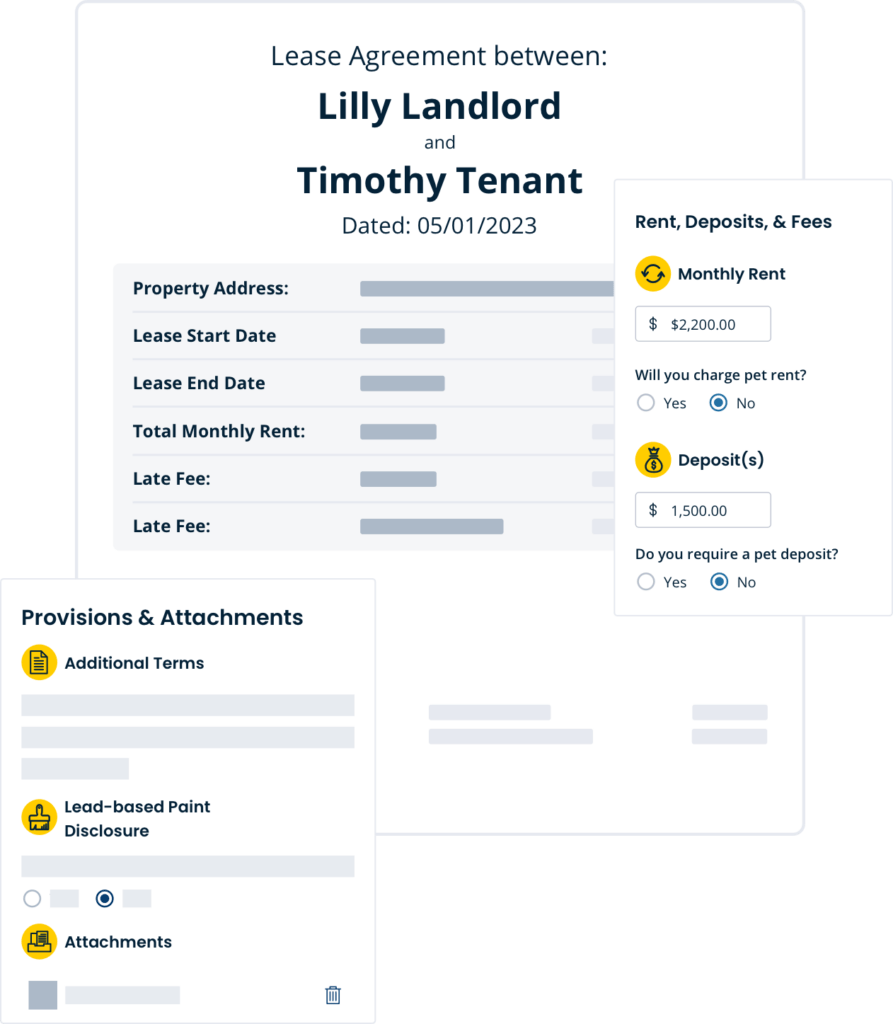
Our fill-in-the-blank template simplifies customizing and adjusting your state-specific lease agreement on your own, ensuring compliance with your state’s specific laws. E-signatures included.

Types Of Rental Lease Agreements
More affordable than a lawyer.
More reliable than your repurposed lease.
Select your rental’s state, fill in the important details, and generate a legally binding lease to send to your tenants within minutes.
Residential Lease Agreement Templates, Forms & More
More than leases. Everything landlords need in one place.
Whether you have one or 50 doors, use TurboTenant’s intuitive toolset to streamline your entire process for free.
Create a rental application in minutes, then send it to prospective tenants to collect the details you need to make a confident decision.
Gain insight into potential tenants’ rental, financial, criminal, and eviction history — for $0 on your end.
Get easy tracking, automatic reminders and late fees, accounting, and autopay. Free for landlords.
Start Customizing Your State-Specific Lease Agreement
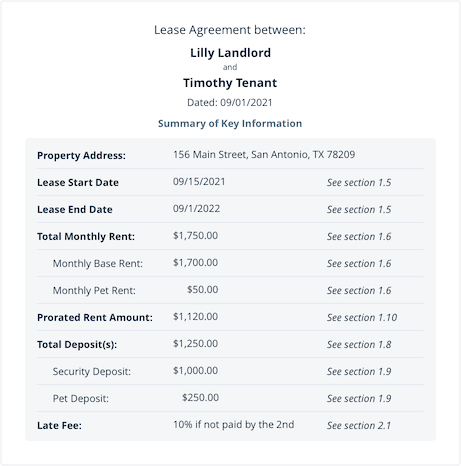
An essential part of the property management process, our property management software for lease management keeps both the landlord and tenant covered. You only need to fill out the standard information and any unique details about your rental unit.
- Lease Specifics: Confirm the address and tenancy term, including start date and end date
- Rent, Deposit, & Fees: Set the monthly rent amount, relevant pet fees, security deposit, and the methods allowed to pay rent
- People on the Lease: Add all responsible parties as well as any additional occupants and their contact information
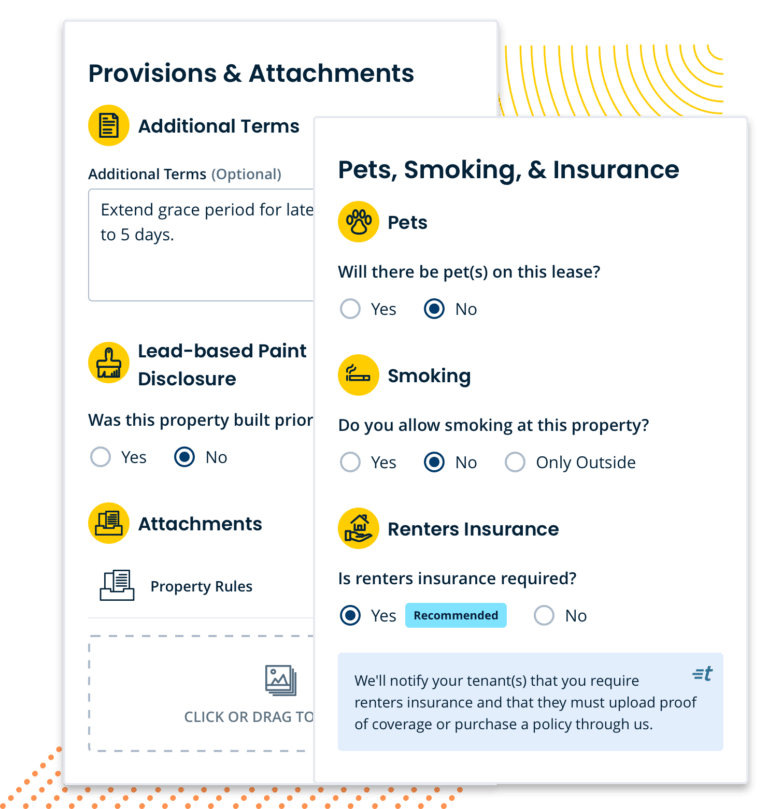
- Pets, Smoking, & Insurance: Define your pet policy, along with what’s allowed and what isn’t
- Utilities, Services, & Keys: List out what the property owner is responsible for, and what the tenant will cover
- Additional Terms: Add any provisions, rules, or addendums unique to your rental property and state laws
WATCH THE VIDEO
Take a Look at the Best Customizable Lease Agreement Forms For Your Rental Property!
Set Up Your Rental Lease Agreement in a Few Short Steps
You’ve found the perfect new tenant, had them fill out a rental application, and now it’s time to set up your state-specific rental lease agreement. Whether you want a fixed-term lease or a short-term month-to-month lease, we have you covered from move-in to move-out.
Create your lease right in your TurboTenant account so you can keep everything in one place.
Fill out specifics like the terms of the lease, period of time, monthly rent, security deposit amount, late fees, who is on the lease, pet rules, renters insurance requirements, and the rent due date.
Customize your lease to include unique clauses like subletting, as well as rules, disclosures, or provisions that are specific to your residential property or local area.
Live in New York, Illinois, or Virginia? Our wizard includes the necessary steps to ensure complete lease compliance.
Preview your rental contract before you pay so you can ensure everything looks up to par.
Pay for the lease. We don’t charge the expensive fees that come with starting a rental lease agreement from scratch.
Sign and send your written agreement for e-signatures right in your account (included at no extra cost).
Get Your Lease E-signed
Once you pay for your lease agreement, it’s signature time! You can seamlessly send it out to get signed electronically at no extra cost. Once signed, your binding contract will be securely stored in your TurboTenant account.
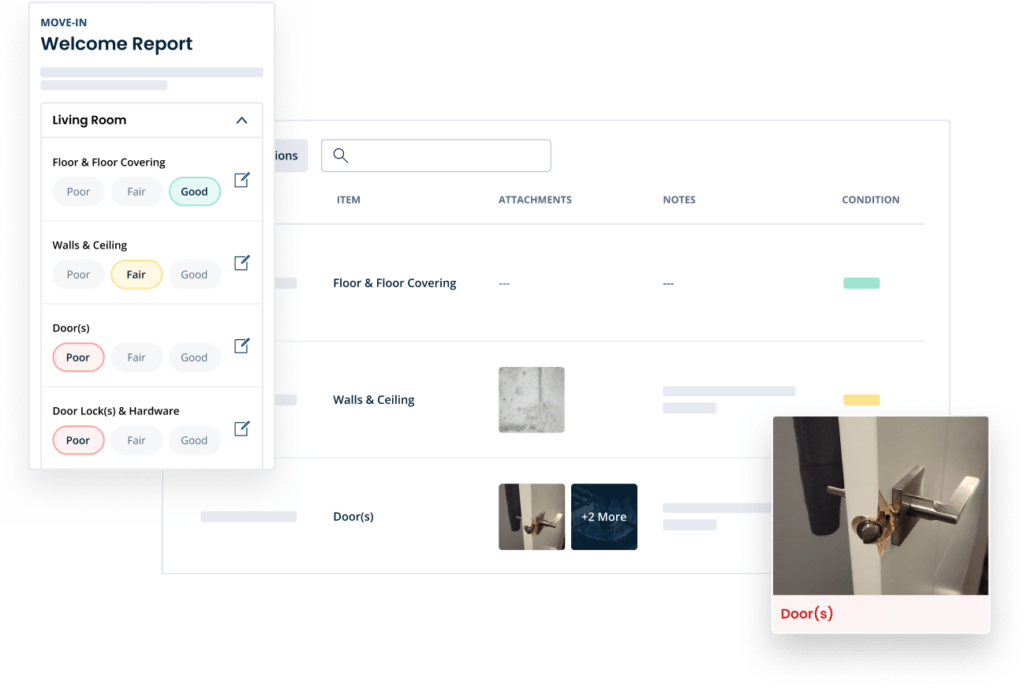
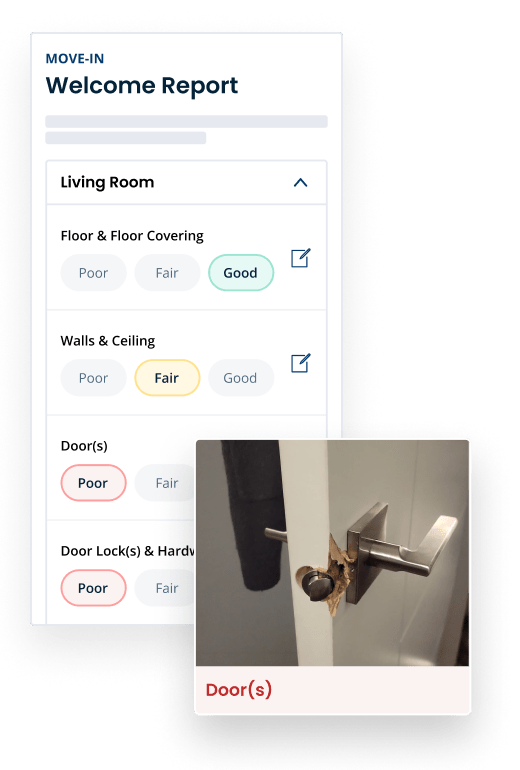
Pair your lease with a condition report. Tailored to your rental.
Protect yourself from any “he said, she said” conflicts and security deposit disputes by using TurboTenant’s move-in/move-out reports.
Customize your digital report. Send it to tenants for signatures. Then store it in your account for re-use and easy reference. Learn more.
Free Rental Agreement Forms
TurboTenant simplifies the creation of state-specific lease agreements for landlords, ensuring legal compliance and clarity. With our Lease Agreement Generator and Templates, we provide a comprehensive solution that addresses local legal requirements and best practices, making the leasing process efficient and secure for both landlords and tenants. This tool is essential for navigating the complexities of rental laws with ease.
Common Questions
Rental Lease Agreement FAQs
Get clear answers about creating, customizing, signing, and storing rental lease agreements online.
Does TurboTenant’s lease agreement follow state-specific rental laws?
Yes. TurboTenant’s rental lease agreements are designed to help landlords create state-specific leases based on the rental property’s location. The lease builder includes important rental terms, required details, and state-specific considerations so landlords can create a lease that fits their property and local requirements. Landlords can also explore state-specific lease agreement forms to see how lease requirements can vary by location.
How do I make a lease agreement online?
You can make a lease agreement online by selecting your rental property’s state, adding the landlord and tenant information, entering the lease dates, setting the rent amount, adding security deposit details, choosing property rules, and sending the lease for electronic signatures. TurboTenant lets landlords create, customize, sign, and store lease agreements from one account.
What should I write in a lease agreement?
A lease agreement should include the landlord and tenant names, rental property address, lease start and end dates, monthly rent amount, rent due date, security deposit, late fees, utility responsibilities, maintenance responsibilities, pet rules, smoking policy, parking details, required disclosures, renewal terms, and signatures from all parties. A strong lease should also work with the rest of your rental process, including your rental application, tenant screening, and online rent collection.
What information can you customize on the TurboTenant lease agreement?
TurboTenant lets landlords customize key lease details such as the rental address, lease term, monthly rent amount, security deposit, late fees, responsible tenants, pet rules, smoking policies, utility responsibilities, maintenance expectations, and additional terms specific to the rental property or local area.
Can I customize the lease before sending it to tenants?
Yes. With TurboTenant, landlords can customize residential leases before sending them to tenants. You can add clauses, attach documents, update rent and deposit amounts, adjust rules for guests or pets, and preview the full lease before it is sent for signatures.
Can I add extra clauses to a rental lease agreement?
Yes. Landlords can add extra lease clauses for property-specific rules such as quiet hours, parking, smoking, pets, lawn care, snow removal, guest limits, subletting, renters insurance, or maintenance expectations. Any added clause should be clear, fair, and allowed under state and local rental laws.
Is electronic signing available for lease agreements?
Yes. TurboTenant includes electronic signing with lease agreements, so landlords and tenants can sign remotely without printing, scanning, or meeting in person. If both parties prefer, they can still print and sign the lease by hand.
Are electronic lease agreements legally binding?
Yes. Electronic lease agreements are generally legally binding when both the landlord and tenant agree to sign electronically. Electronic signatures can carry the same legal weight as handwritten signatures, but landlords should still review state and local requirements before finalizing a lease.
Does a lease agreement need to be notarized?
Most residential lease agreements do not need to be notarized to be valid. However, requirements can vary by state, lease length, and property type. Some longer lease terms may have additional signing or recording requirements, so landlords should review local laws before finalizing the agreement.
Can signed leases be stored digitally?
Yes. TurboTenant stores signed leases digitally so landlords can access, download, or print them when needed. Keeping signed leases online helps landlords stay organized and maintain a clear record of rental agreements, lease terms, and tenant signatures.
What if I need to change the lease agreement after it has been signed?
To change a lease after it has been signed, landlords should use a lease addendum. A lease addendum is a written update to the original agreement. The landlord and tenant should both review and sign the addendum before the new terms take effect.
Can I create lease agreements online, or do I need a lawyer for everything?
Yes. Landlords can create lease agreements online without hiring a lawyer for every rental. TurboTenant helps landlords create state-specific lease agreements using a guided lease builder. However, landlords with complex rental situations or legal concerns may still want an attorney to review the lease before signing.
Where can I get a lease agreement form?
Landlords can get a lease agreement form online through TurboTenant. Instead of starting from a blank document, TurboTenant helps landlords create a customizable, state-specific rental lease agreement, send it for electronic signatures, and store the signed lease in one place.
What is the difference between a lease agreement and a rental agreement?
A lease agreement usually refers to a fixed-term rental contract, such as a 12-month lease. A rental agreement often refers to a shorter-term arrangement, such as a month-to-month lease agreement. In everyday use, many landlords and tenants use the terms lease agreement and rental agreement interchangeably.
State Lease Agreement Laws
Lease agreement requirements can vary by state, including rules for security deposits, notices, disclosures, rent increases, lease termination, and landlord-tenant responsibilities. Use the state lease law resources below to review requirements for your rental property’s location.
- Alabama lease agreement laws
- Alaska lease agreement laws
- Arizona lease agreement laws
- Arkansas lease agreement laws
- California lease agreement laws
- Colorado lease agreement laws
- Connecticut lease agreement laws
- Delaware lease agreement laws
- Florida lease agreement laws
- Georgia lease agreement laws
- Hawaii lease agreement laws
- Idaho lease agreement laws
- Illinois lease agreement laws
- Indiana lease agreement laws
- Iowa lease agreement laws
- Kansas lease agreement laws
- Kentucky lease agreement laws
- Louisiana lease agreement laws
- Maine lease agreement laws
- Maryland lease agreement laws
- Massachusetts lease agreement laws
- Michigan lease agreement laws
- Minnesota lease agreement laws
- Mississippi lease agreement laws
- Missouri lease agreement laws
- Montana lease agreement laws
- Nebraska lease agreement laws
- Nevada lease agreement laws
- New Hampshire lease agreement laws
- New Jersey lease agreement laws
- New Mexico lease agreement laws
- New York lease agreement laws
- North Carolina lease agreement laws
- North Dakota lease agreement laws
- Ohio lease agreement laws
- Oklahoma lease agreement laws
- Oregon lease agreement laws
- Pennsylvania lease agreement laws
- Rhode Island lease agreement laws
- South Carolina lease agreement laws
- South Dakota lease agreement laws
- Tennessee lease agreement laws
- Texas lease agreement laws
- Utah lease agreement laws
- Vermont lease agreement laws
- Virginia lease agreement laws
- Washington lease agreement laws
- West Virginia lease agreement laws
- Wisconsin lease agreement laws
- Wyoming lease agreement laws
Can I use the same lease agreement in every state?
No. Landlords should not use the exact same lease agreement in every state because rental laws, disclosure requirements, notice periods, security deposit rules, and lease requirements can vary by location. A state-specific lease agreement helps landlords include terms that are better aligned with the rental property’s local laws.
Join the 1 million+ independent landlords who rely on TurboTenant to create welcoming rental experiences.
No tricks or trials to worry about. So what’s the harm? Try it today!