


Online Rental Applications
for free
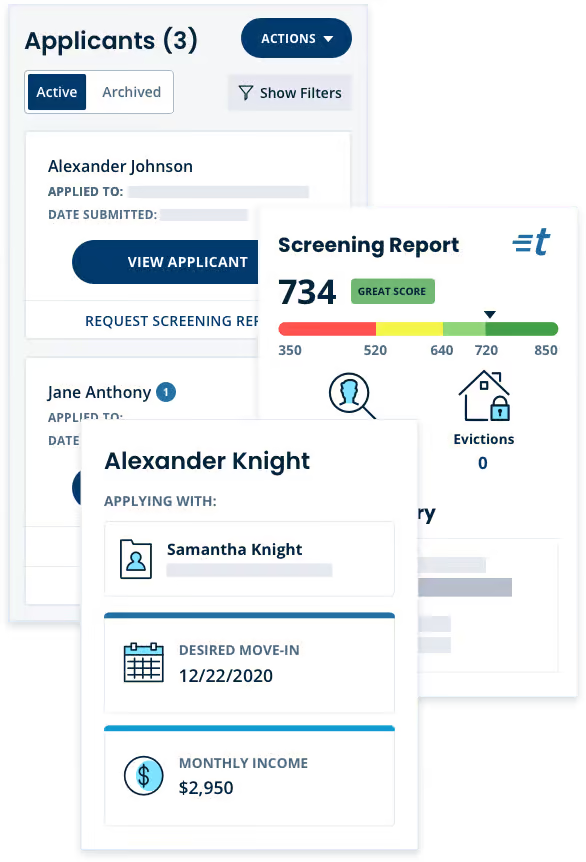
Pick the best match for your rental with confidence when you use TurboTenant’s detailed, easy-to-read applications. Includes a full screening report, covered by the tenant.

Minimize your turnover.
Choose the best fit.
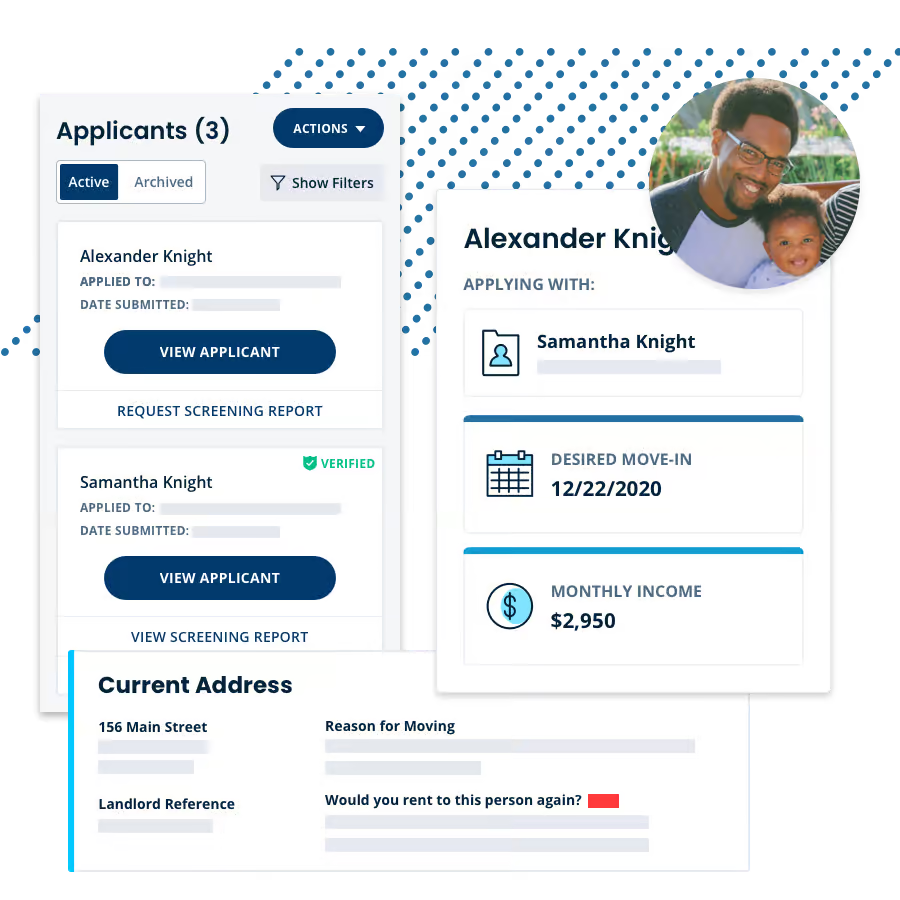
TurboTenant applications ensure you get all the information you need right off the bat.
- Industry-standard questions
- Full tenant background and credit check
- Optional custom questions
- Unique application URL
More Than Just Free Rental Applications
Whether you have one or 50 doors, use TurboTenant’s intuitive toolset to streamline your entire process for free.
Build a listing in less than 10 minutes, then push it across the web to collect high-intent leads.
Build and adjust a lease on your own — specific to your state’s laws — in less than 15 minutes.
Get easy tracking, automatic reminders and late fees, accounting, and autopay. Free for landlords.
Tenant Background Verification
Tenant Application Basics
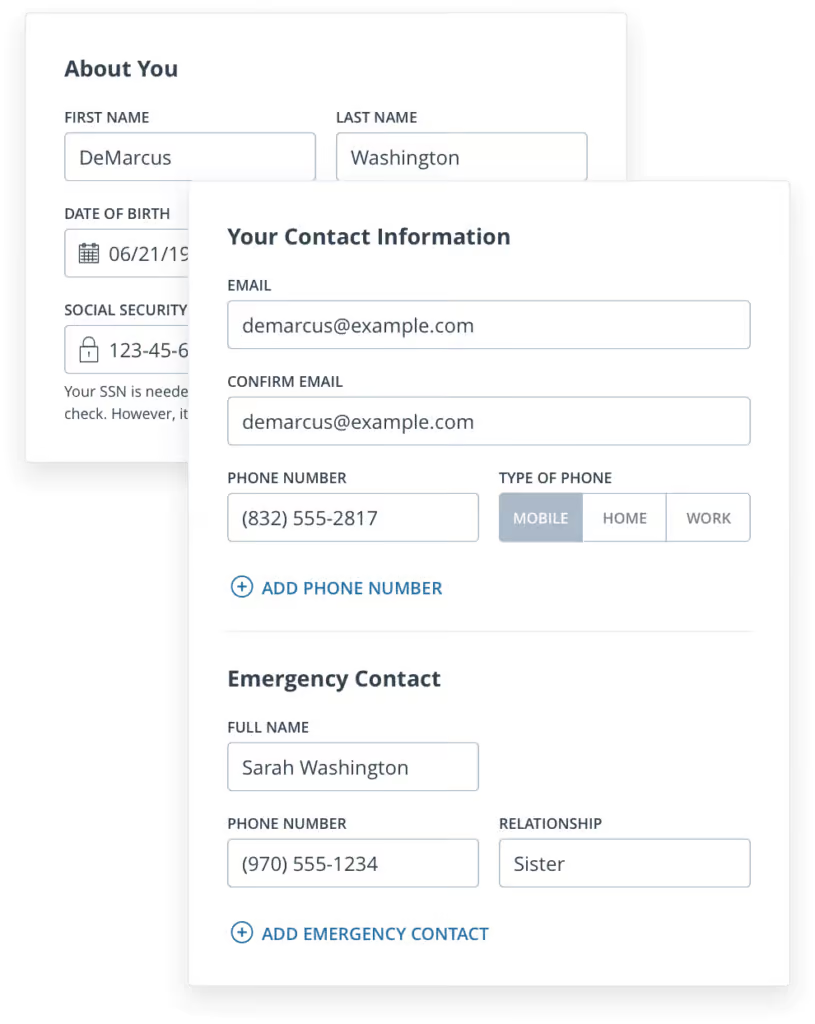
Once you invite them to apply, the renter starts the tenant application by selecting whether they are applying to the rental unit as a tenant or co-signing for someone else. Then they move to the first section of the rental application where they provide basic contact information including:
- Name
- Date of Birth
- Phone Number
- Emergency Contact
Residence History & Landlord References
See a Potential Tenant's Rental History
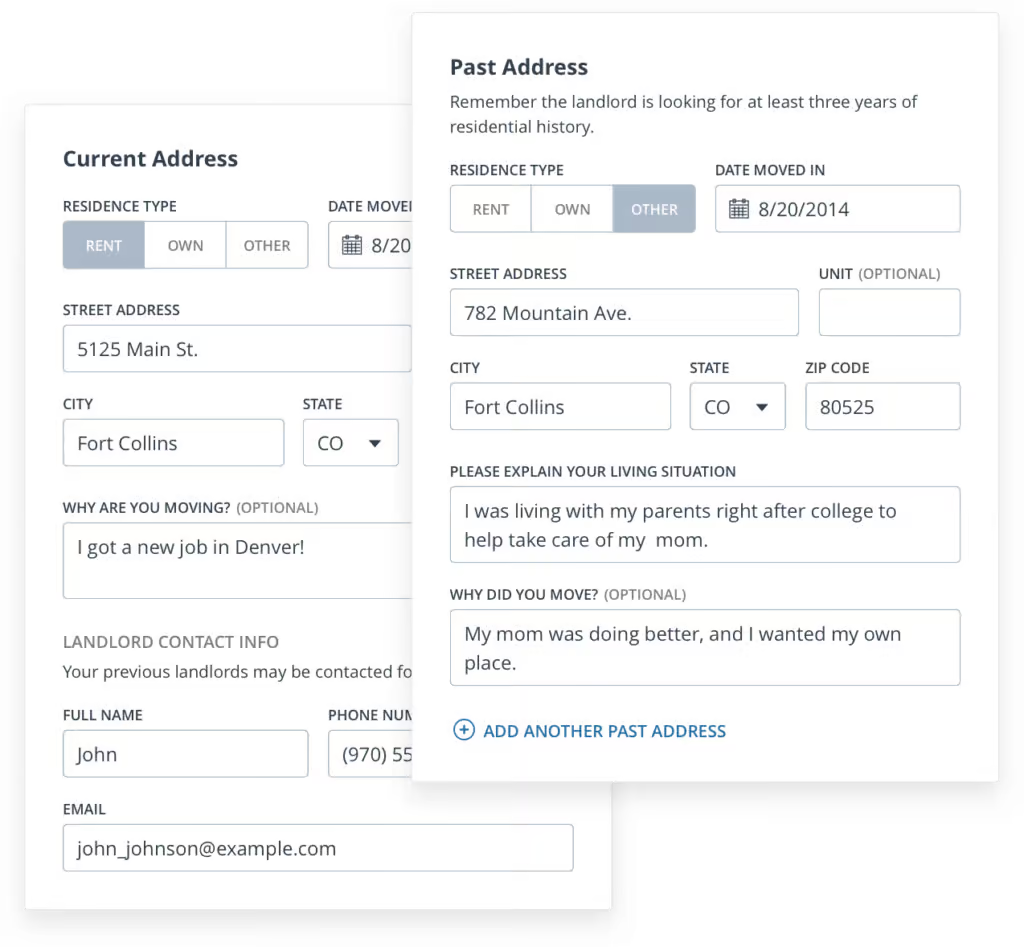
In this section of the online rental application, the applicant provides their housing history, including past addresses and contact information for previous landlords. Options to elaborate on their current living situation and explain why they’re moving help you understand their situation. Questions include:
- Current & Previous Addresses
- Reason for Moving
- Landlord References

Rental Application Templates
Our online rental applications will help you streamline your entire property management process. Pre-screen your leads, invite them to apply via text or email, and easily screen them without requiring a social security number. All in one place, all online, from any device.

Standard Rental Application Forms
Rental application forms help landlords better evaluate tenants. This downloadable rental application PDF template outlines the questions every rental application should ask. We also recommend screening tenants with thorough credit reports, criminal background checks, and eviction reports.
Financial Background Checks
Historical Employment Information
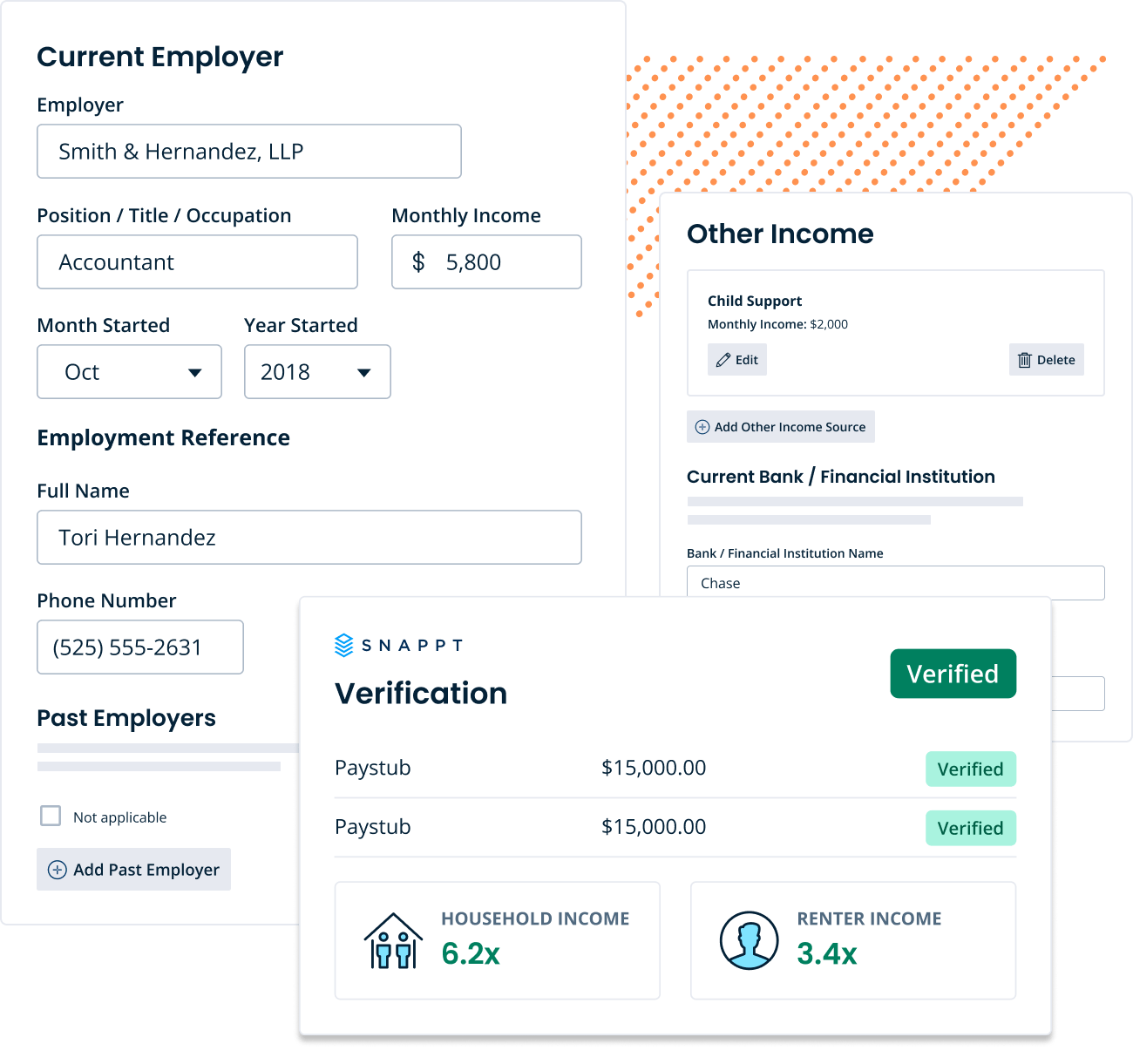
Once the applicant gets to this part of the online rental application, they provide their employment information and income situation, including:
- Income
- Current Employer & Past Employers
- Other Income Sources
- Current Financial Institution
TurboTenant Pro screening reports now include income verification and fraud detection. Catch falsified documents, fake employers, and known bad actors before they sign the lease — powered by Snappt, the industry’s leading fraud detection platform.
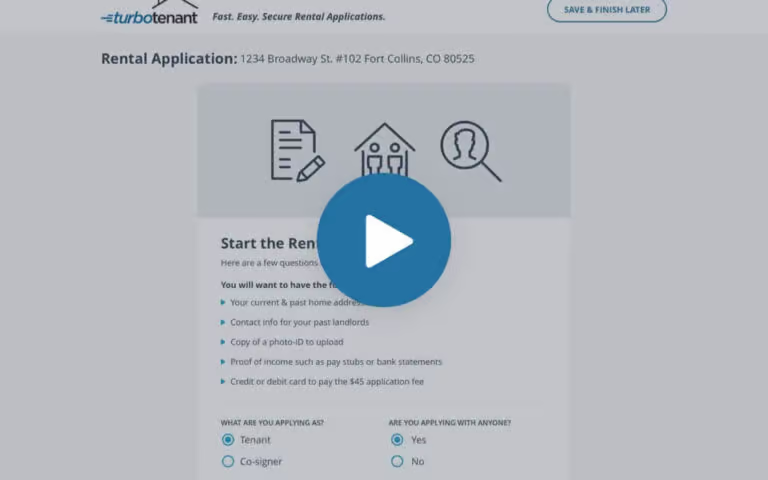
WATCH THE VIDEO
Master the Online Rental Application in a Few Short Minutes!
Rental Applicant Background
Pet, Smoking, & Parking Information
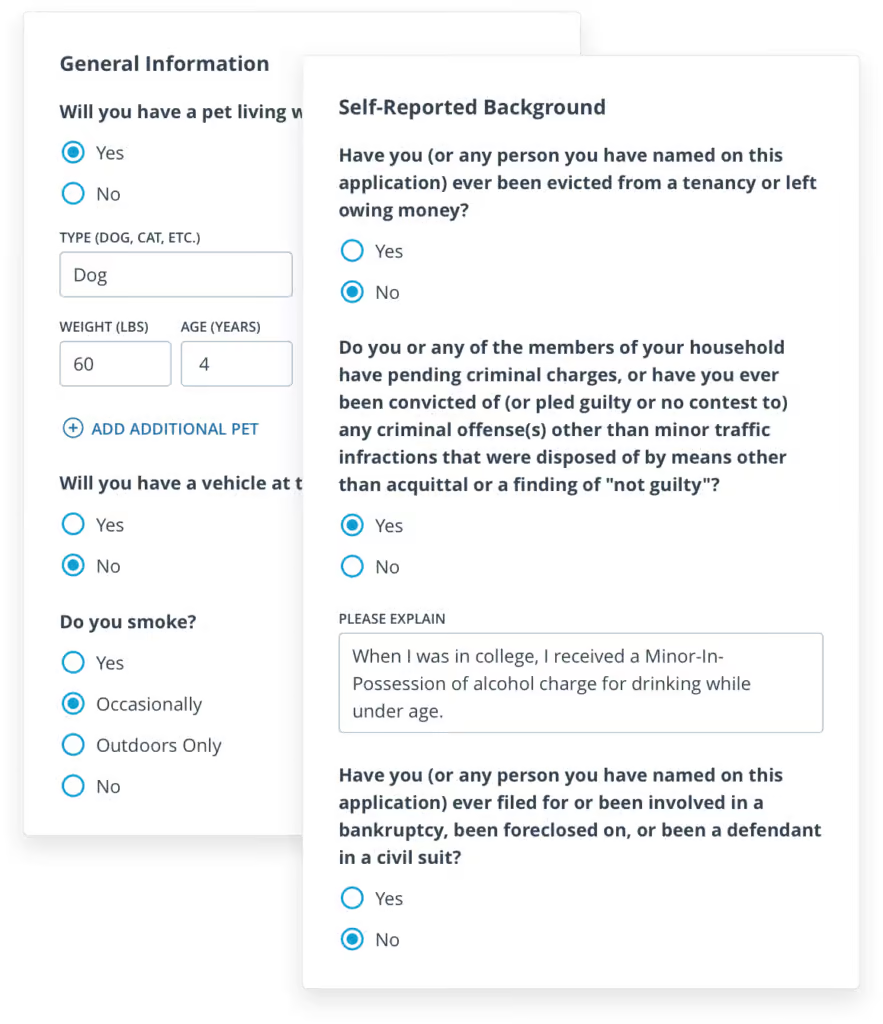
The applicant answers a few questions about their preferences including whether or not they have pets, plan to have vehicles at the property, or if they smoke.
The tenant application also delivers a few standard background information questions making you aware of any criminal history, evictions, and other pertinent real estate history such as foreclosures.
In this section of the free rental application, the potential tenant also has the opportunity to make you aware of any special needs they may have during their tenancy.
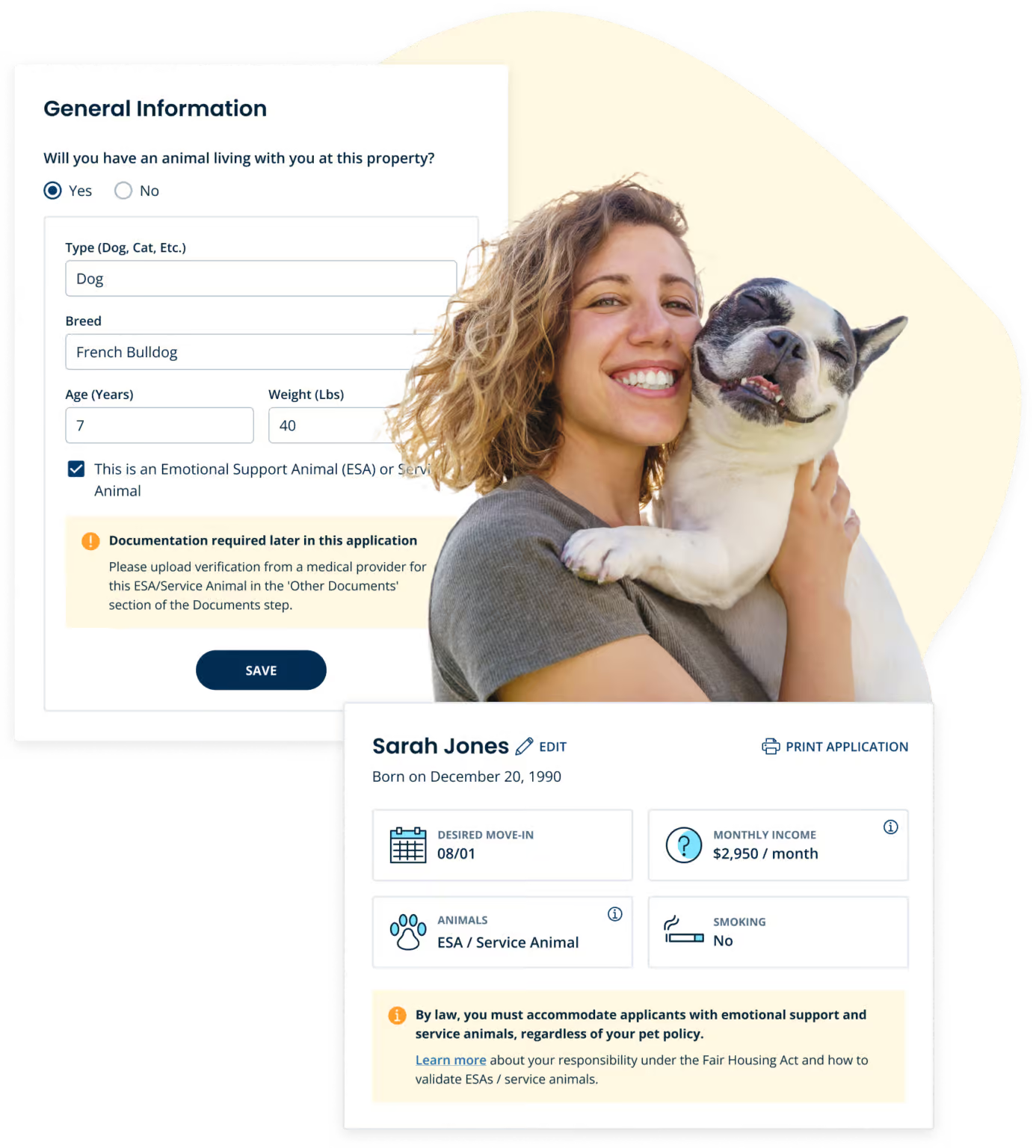
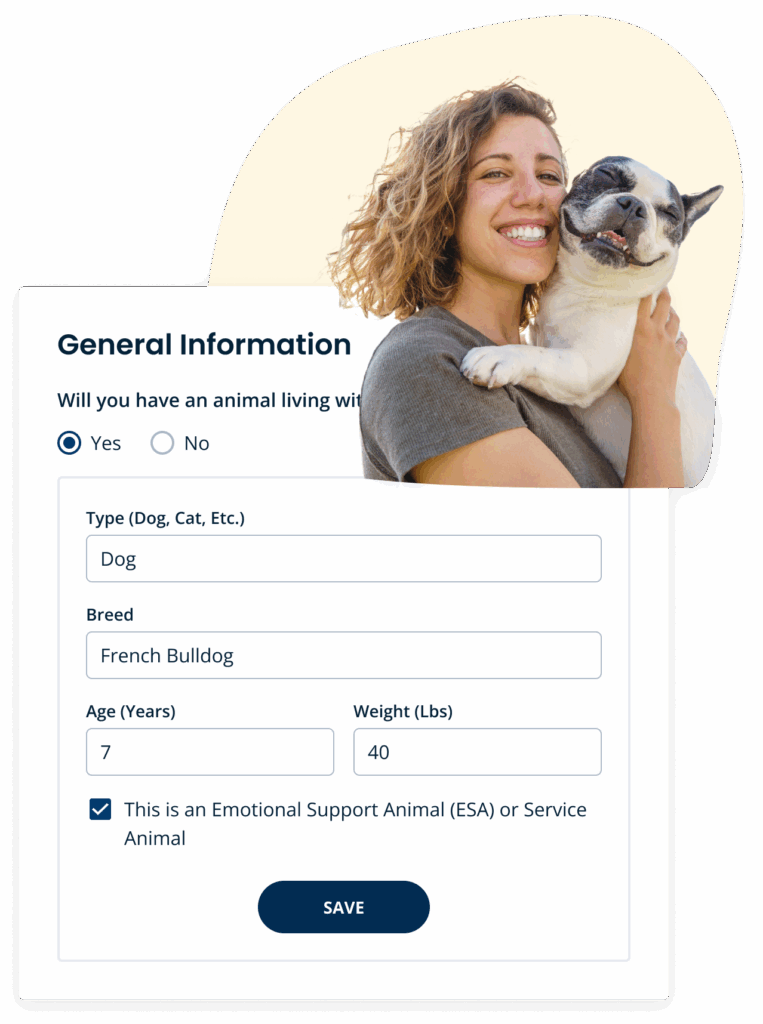
Clearly detect ESAs and service animals
Eliminate doubts about applicants’ animals with TurboTenant applications.
We directly ask if a tenant’s animal is a pet, emotional support animal, or service animal, and collect the paperwork for you so you can make an informed decision.
ASK YOUR OWN QUESTIONS
Customize Your Online Rental Application Form
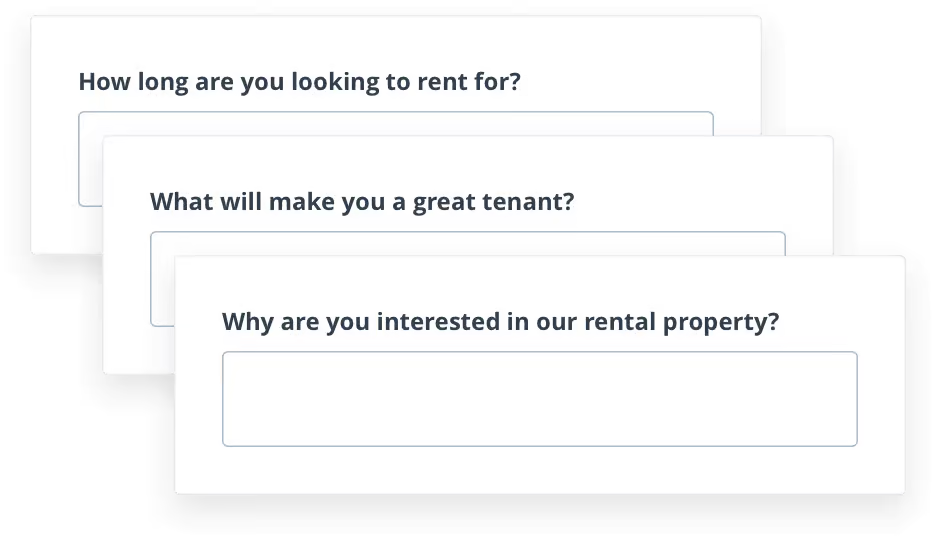
If you have specific questions you’d like potential renters to answer as part of your screening process, you can add those to your application when you upgrade to our Premium subscription.
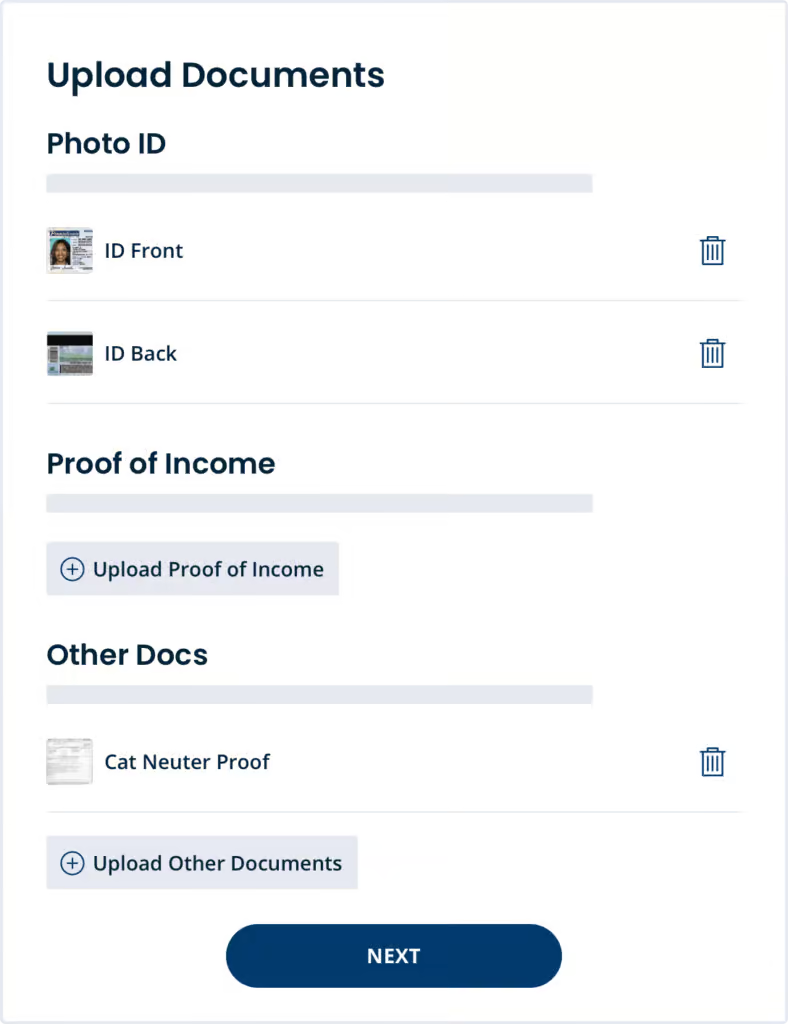
Upload Rental Application Documents
The applicant has the opportunity to upload a photo ID like a driver’s license, pay stubs or another proof of income, personal references, and any other documents you request.
Lease Applicant Forms
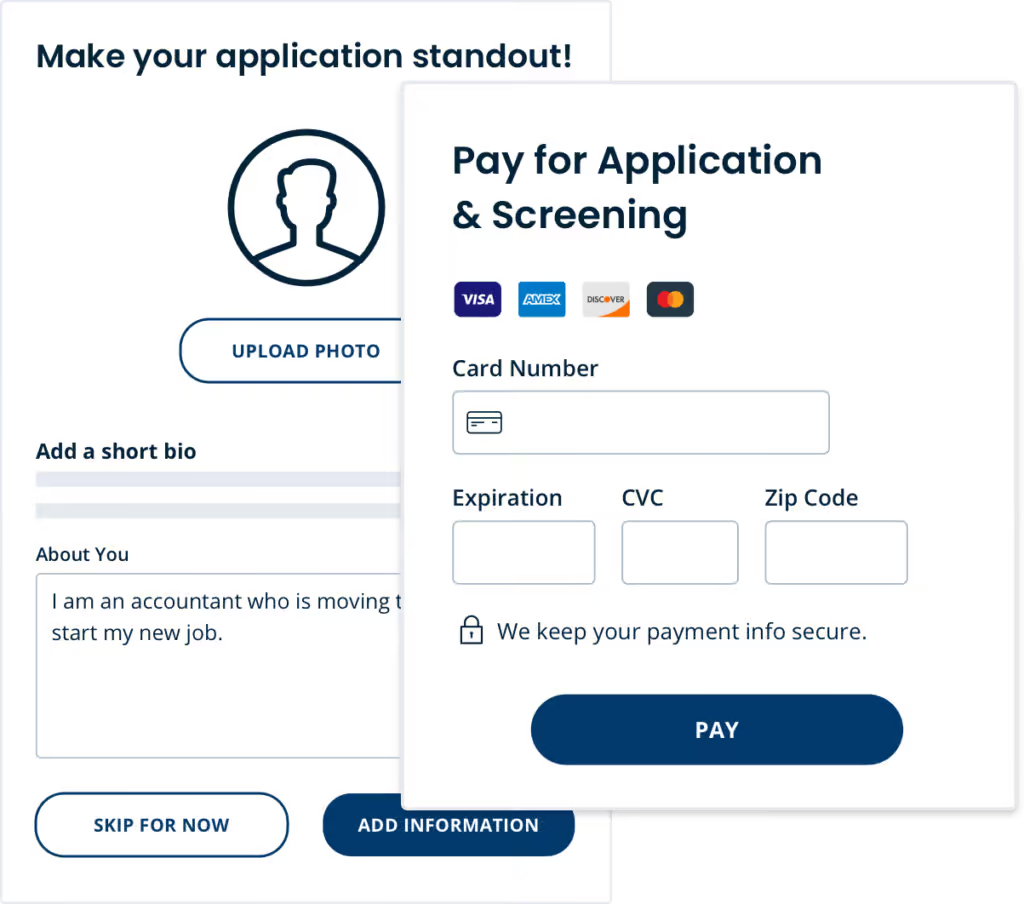
The renter enters their credit card to pay the screening fee. This fee covers a credit report, background check, and eviction report.
The applicant then sets a password and is given the option to add a short bio and picture so that you can get to know them better prior to move-in.
At this point, the applicant has successfully created an account and can monitor the status of their online application and screening report, purchase renters insurance, and edit their application info.
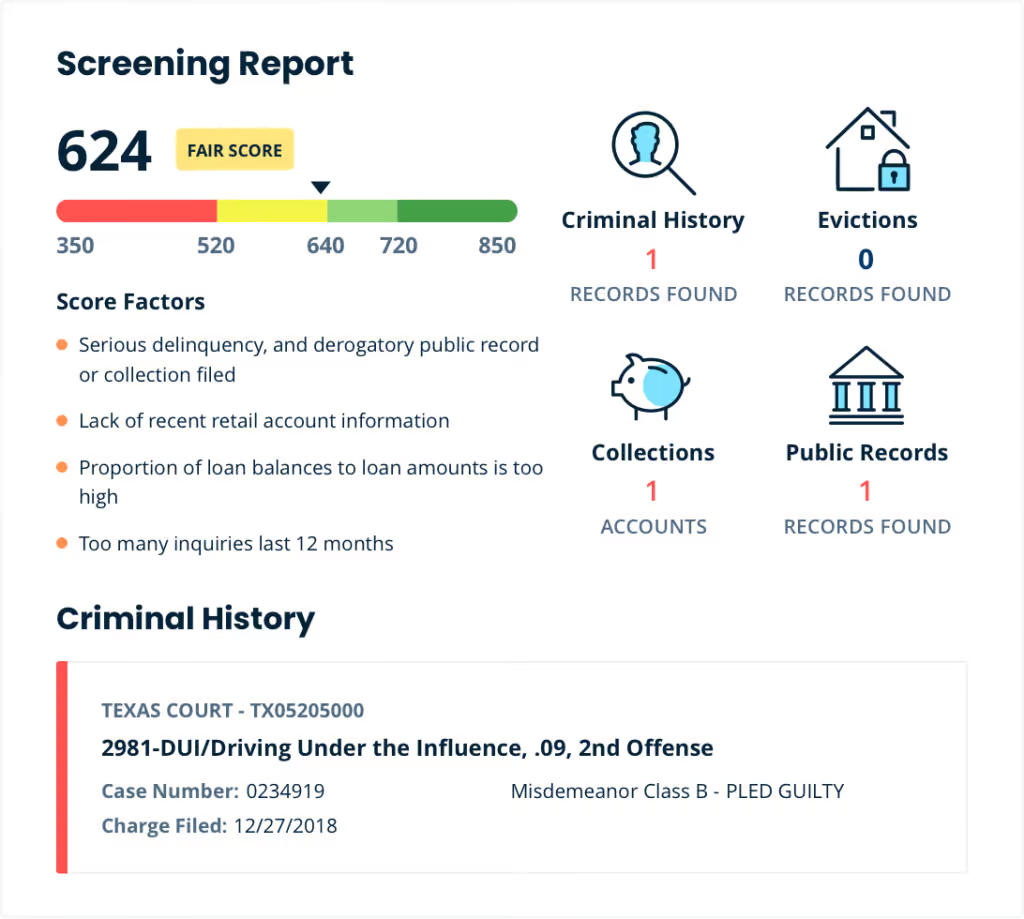
Instant Tenant Screening
The applicant approves a credit and background check and verifies their identity immediately after finishing the rental application, so you don’t have to wait days to get back the details of their screening report. It’s available the second you request it.
Turbotenant pricing
Only the renter pays the application screening to cover the credit check, criminal history, and eviction report.
For Landlords
Includes extensive online applications, instant screening reports, and rental marketing.
Landlords Pay
- Includes extensive online applications, instant screening reports, and rental marketing.
By State
TurboTenant offers streamlined, legally compliant rental applications for efficient tenant screening across states.
WA, D.C.
Rental Application FAQs
What does a rental application include?
A residential rental application is a form that a prospective tenant fills out and submits to a landlord or property manager when they want to rent a home. The landlord reviews the information and screens the applicant based on employment history, credit report, criminal background check, and references.
If the applicant meets the criteria, the landlord may offer them a lease agreement.
Why should I use an online rental application?
Online applications save time, eliminate paperwork, and organize applicant data in one place. TurboTenant lets you screen tenants, collect fees, and request supporting documents digitally. This streamlines your rental process and helps you fill vacancies faster with better-qualified renters.
How long does a rental application take?
Most renters complete an online rental application in 5 to 15 minutes. TurboTenant’s application is mobile-friendly, easy to navigate, and guides applicants through each section. Landlords receive the submitted information immediately and can begin the screening process right away.
What does TurboTenant’s rental application collect?
TurboTenant’s application gathers contact information, income details, employment history, previous landlord references, pets, vehicles, and emergency contacts. You also receive authorization for background checks and credit reports if screening is enabled, giving you everything you need to make an informed decision.
How much should I charge for a rental application fee?
Landlords typically pass screening costs on to tenants by charging an application fee, usually between $30 and $50, depending on state laws. TurboTenant lets you set and collect this fee from tenants directly through the platform. Always review your state’s rules on maximum allowable fees.
Can I customize my rental application?
Yes. TurboTenant allows you to add custom questions to the application, so you can ask about anything the default application doesn’t address. You can also toggle optional sections on or off depending on the type of rental and your screening needs.
What happens after a renter submits their application?
As applicants complete the application, they pay the screening fee and authorize credit, criminal, and eviction checks. Once submitted and processed, the full screening report will become immediately available for review—no additional request is required.
How do I create an online rental application?
There are many ways to create rental applications online, including forms, templates, and dedicated platforms like TurboTenant. TurboTenant’s free applications are as easy to create as inviting a renter to apply; they just fill in their personal information, and you get the results delivered electronically.
What is a credit reference on a rental application?
Credit references are previous or current financial relationships that applicants have had with businesses or individuals. In the context of rental applications, these references often pertain to tradelines on credit reports. Examples include auto, student, and credit card loans.
What can a landlord ask on a rental application?
Landlords can ask for basic information, including identity, employment, rental history, number of occupants, background credit, smoking status, pets, references, and vehicle information. They’re prohibited from asking about protected classes under the Fair Housing Act, including race, color, religion, national origin, marital status, and other protected characteristics.

I especially love how easy it makes the application process. No more dealing with paper. They do the dirty work, you get the results you need. Win win! And it doesn’t cost the landlord or property managers a dime.
– Dana M.
Download the app
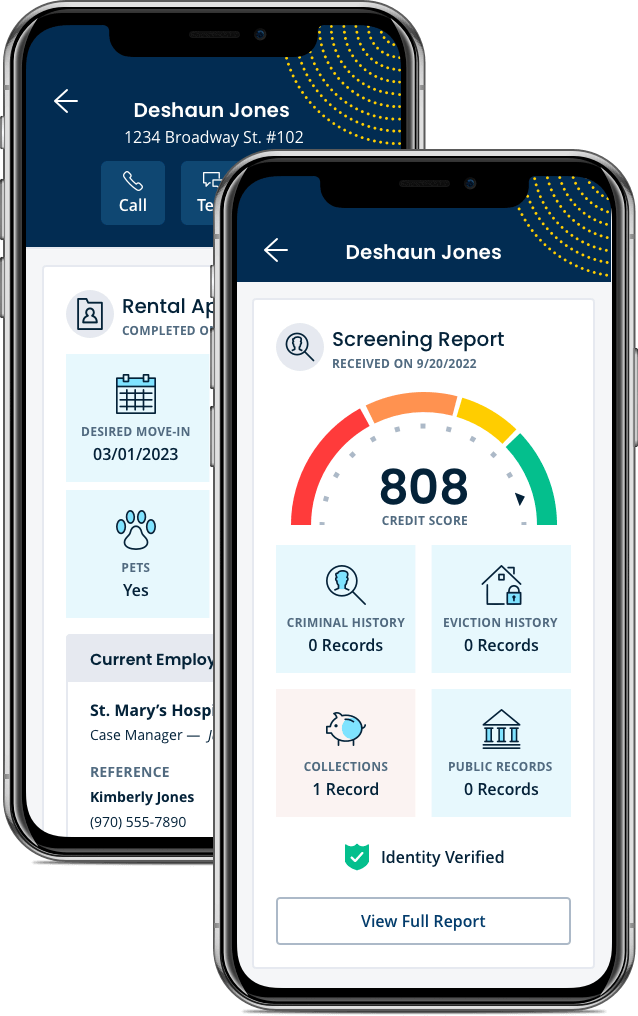
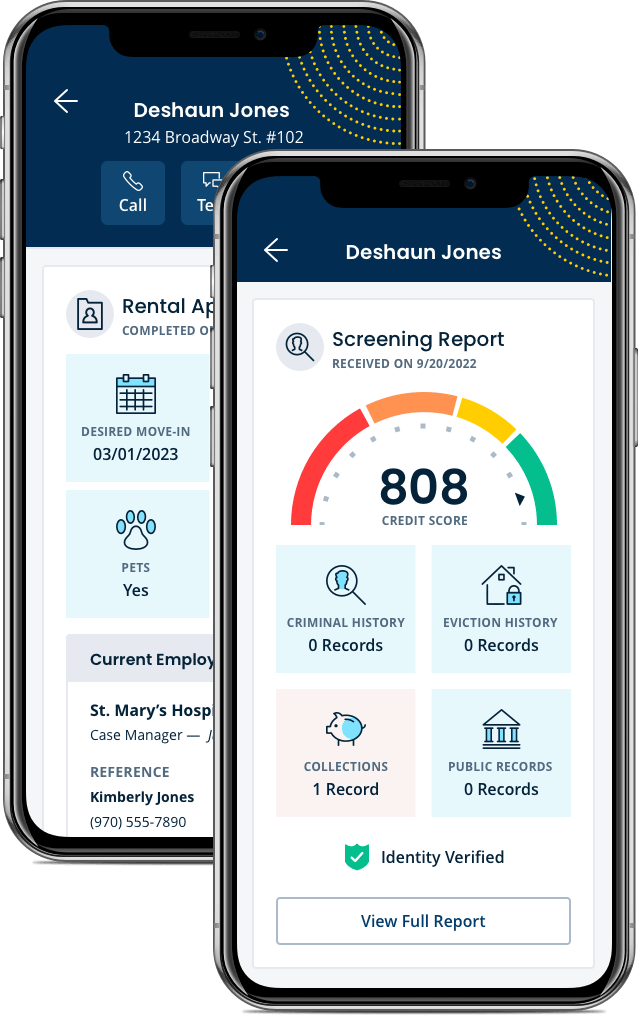
Send and review online applications and screenings directly in our mobile app. Between the app and your desktop, you can manage your rentals from anywhere.
Scan the QR code to download the TurboTenant app on your mobile device
Download the TurboTenant app on your mobile device or tablet




Download the app
Between the app and your desktop, you can manage your rentals from anywhere.
Scan the QR code to download the TurboTenant app on your mobile device
Download the TurboTenant app on your mobile device or tablet

Join the 1 million+ independent landlords who rely on TurboTenant to create welcoming rental experiences.
No tricks or trials to worry about. So what’s the harm? Try it today!
